Your next loop
starts here.
Make music on your phone or at your desk. Get RixLoop for Android or Windows.
RixLoop for Android
Google Play
A fullscreen landscape workspace for touch. Tap to add a note; hold to delete.
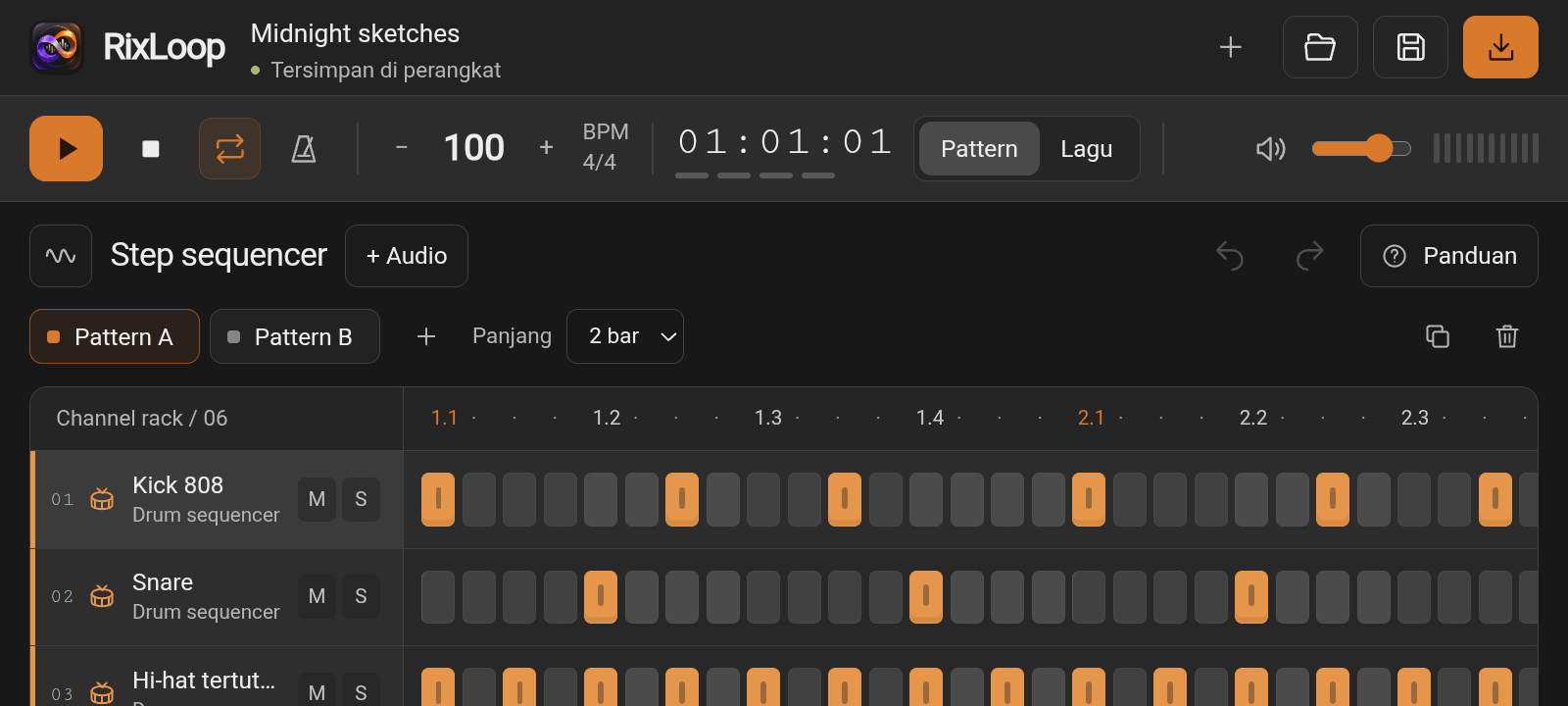
RixLoop for Windows
Version 1.0 Windows x64
Your sequencer, piano roll, and mixer in a desktop window. Bring your own sounds, save .rix projects, and export WAV audio.
Windows 10 (1809+) or 11 (64-bit). Requires Microsoft Edge WebView2 Runtime, installed separately.
These Windows binaries are not code-signed. Windows may display the publisher as unknown.
File sizes and SHA-256 checksums
From download to first beat
Choose your download
For Android, install RixLoop from Google Play. On Windows, use the installer or keep the portable .exe in a folder of your choice.
Open RixLoop
Start with the included demo project or create a new one. The app follows your device language: Indonesian, or English by default.
Make it sound like you
Choose an instrument, add steps, or import your own audio. Save a .rix project to keep your notes and samples together.
Before you press play
Can I make music offline?
Yes. RixLoop's instruments, sample import, editing, project saving, and WAV export run on your device. The desktop app does not include ads or require an account.
Can I move a project between devices?
Save it as a .rix file and open that file in RixLoop on the other device. Your imported samples are included. Keep a separate .rix backup before clearing app data or uninstalling.
Which audio files can I import?
MP3 and WAV are supported. Other formats depend on the device's audio decoder. Each sample can be up to 20 MB and 30 seconds long, with up to 32 samples in a project.
Is there a macOS or Linux download?
This desktop release is for Windows x64. There are no macOS or Linux downloads on this page.